

With siineos® IIoT out of the box
siineos® is an operating system and the platform running on in.hub devices. siineos® collects machine and process data, stores it on the device, and displays it in a browser. It works just like operating a smart device. You don’t have to build any features—everything is already there. You don’t have to build any features—everything is already there, and it’s all local, with no cloud, no code, and no stress.

siineos Industrial IoT Platform
siineos was developed based on industrial standards to enable the implementation of IoT solutions that are exceptionally secure, yet simple and fast. siineos is designed so that every user has access to existing libraries, such as the InCore framework. This makes it possible to develop custom QT-based apps incredibly quickly and efficiently.Intuitive & Flexible I/O Management
With just a few clicks, you can seamlessly integrate, configure, and use interfaces for all types of machines and sensors, as well as all in.hub devices and IT systems.The intuitive interface and library management make it easy for you to add everything with a single click—in seconds.
Features
What siineos® Can Do
Data Acquisition
Signals and measured values from all connected modules.
Processing and Logic
Synthetic signals, logical operations, threshold values.
Visualization
Live data in the web interface, time series, and dashboards using the InGraf (Grafana) app.
Alerts
Email alerts or forwarding to SIGNL4.
Interfaces
OPC UA, MQTT, Modbus, HTTP/REST, SQL, Siemens S7 Connector.
User Management and Firewall
Role-based access, local firewall per device.
Premiere at SPS 2026
At the SPS – Smart Production Solutions trade show, we’ll be showcasing some huge news for the siineos® ecosystem. Get ready to join us—and be sure to register. We’ll reveal what we’re showcasing on November 24 at 9 a.m. Hall 4A, Booth 301.
Device Management and Setup Wizard on All siineos Devices
When you start the system for the first time, siineos guides you through all the important settings using its setup wizard. Select your device in the I/O Manager and set it up yourself.
Integrating Sensors, Add-On Modules, or Machine Controls
No problem with siineos. Sensors, add-on modules, or PLCs can be quickly integrated using our module blocks. Each signal can be preprocessed individually.Work with your data locally
Based on the measurement results, you can optimize your production and derive recommendations for action. You can also make your data available via your own system on your network. This simplifies the integration of ERP, MES, and other systems.
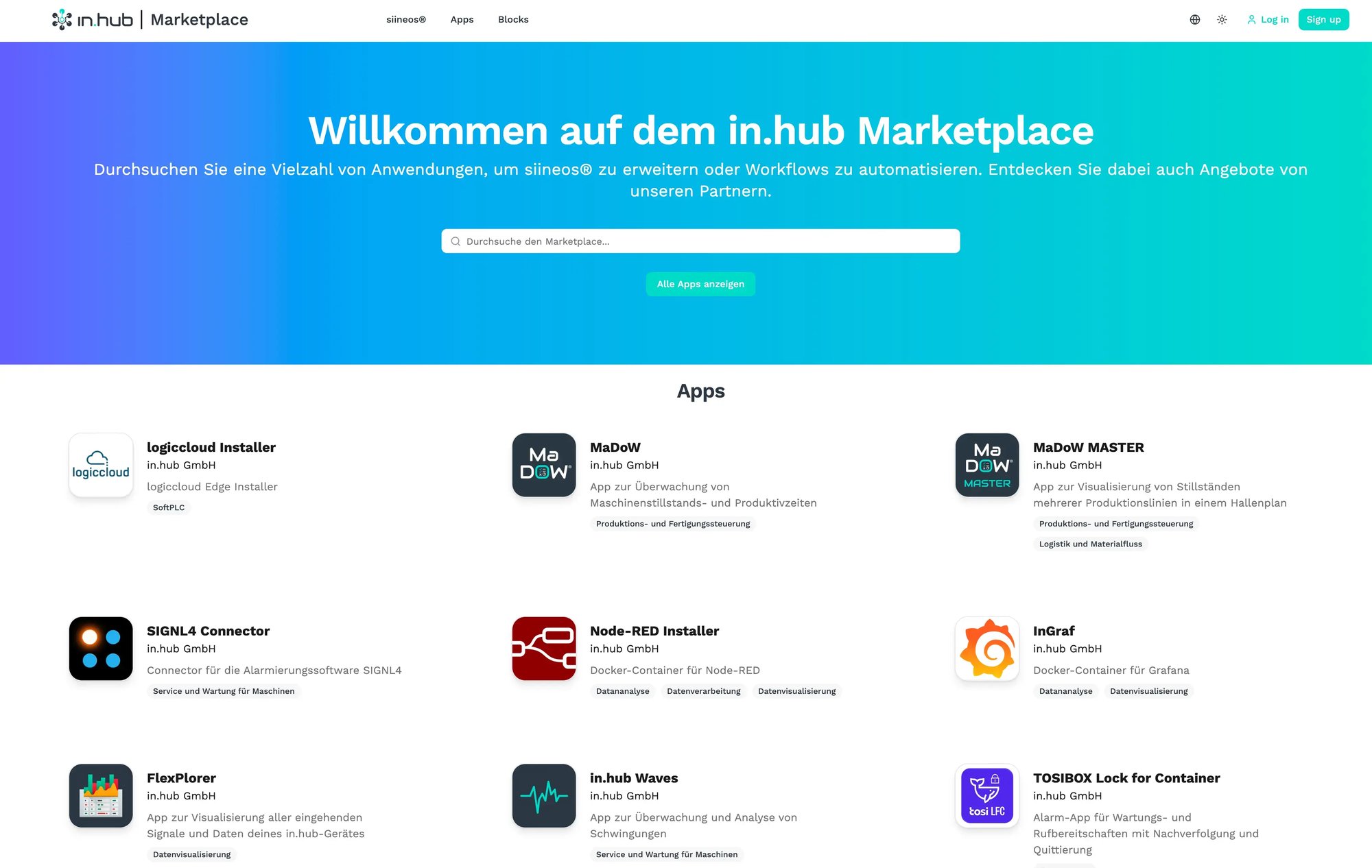
siineos | Apps and Marketplace
With the app features in our siineos operating system, you can easily evaluate and monitor sensors, machines, and fieldbuses in real time with just a few clicks. You can visualize your data intuitively and as you wish in Grafana dashboards, or directly evaluate your logic to, for example, display machine downtime and the reasons for it, visualize and analyze them, or directly evaluate your logic to, for example, display machine downtime and the reasons for it, visualize and analyze themAll without any programming and entirely on the device itself. No installation required on a PC, laptop, or server. No installation required on a PC, laptop, or server. Completely IT-friendly and secure.
Apps
Apps for siineos®
MaDoW
An app for tracking and monitoring machine downtime and productivity within the siineos® operating system.
in.hub Waves
App for monitoring and analyzing vibration sensors in siineos® for HUB-VM102 devices.
inGraf
Docker containers for Grafana for data visualization and dashboard management in siineos®.
SIGNL4 Connector
Connector for forwarding alarm signals from siineos® to the SIGNL4 alerting app.
SQLxConnect
A solution for writing siineos® data directly to SQL databases without any programming effort.
in.hub Forms
Digital capture of forms and documents with field configuration and data integration.
Overview
What's running locally and what you need a connection for
| Task | Where it runs | Do you need the Internet? |
|---|---|---|
| Record, store, and analyze measurement data | on the device | no |
| View dashboards and real-time metrics | in the browser, on your own network (LAN/Wi-Fi) | no |
| Alerts When Threshold Values Are Reached | on the device; forwarding via email or SIGNL4 uses your network | For external forwarding only |
| Send data to your systems (OPC UA, MQTT, Modbus, SQL, REST) | on its own network | no |
| Activate siineos®, Purchase Licenses and Apps | Access your Marketplace account from any computer; the license file is transferred to the device | Yes, but only the computer, never the device |
| Updates | File is imported manually; no automatic updates | For download only, on your computer |
| Remote access by you or a partner | Optionally via Tosi or your own OpenVPN server | Yes, if you set it up |
| Send data to the cloud (Azure, Telekom, m2v) | Optionally via Connector apps | Yeah, if you want to |
Activation
Here's how to activate siineos®
-
Create an account on the siineos marketplace for your business.
-
Read the MAC address from the device and register the device in your account.
-
Download the license file and install it on the device. The device itself does not need to be online for this.
Updates
Install Updates Selectively
You install updates selectively. siineos® intentionally does not include automatic updates, as companies want to have control over when a WM update is installed. An update replaces the entire system and automatically reverts to the previous version in the event of an error. Security updates are always available, and at least three years of maintenance and support are included with your purchase.
Would you like more information about siineos®?
Security and Data Sovereignty from the Start
siineos® processes machine and process data locally and can be operated entirely without an internet connection. A lean system architecture, an integrated firewall, and the double-boot-slot update procedure support secure industrial operation. You decide which external connections and integrations to use.
Easily integrate siineos® into any IT environment
siineos® is not only designed to be extremely easy to use, but it was also developed in close collaboration with IT experts to ensure it can be integrated into any industrial IT environment as easily, securely, reliably, and maintainably as possible. siineos offers a range of integrated tools and interfaces for the industrial environment.
Using siineos® in Your Own Products
Are you a software developer or mechanical engineer looking to use siineos® in your own products? Do you have IoT hardware, or would you like to use your own customized IoT hardware with siineos®? siineos® is vendor-neutral and is already being used by many partners in their products.

Personal Introduction
Tell us about your use case.
During our first conversation, we’ll clarify your goals, existing data, and a sensible starting point. You’ll receive an honest assessment of whether and how in.hub fits your project.